These are the exact things I download and setup on my phone before I take an international trip with kids

These are the exact things I download and setup on my phone before I take an international trip with kids
1. Use the iPhone currency converter
If you have an iPhone, you don’t need to download another app for this. You just open the Calculator app, click the mini calculator icon in the top corner, (or if your IOS isn’t up to date, it will be the little “slider” as shown in the image below… then choose the two currencies you want to convert.
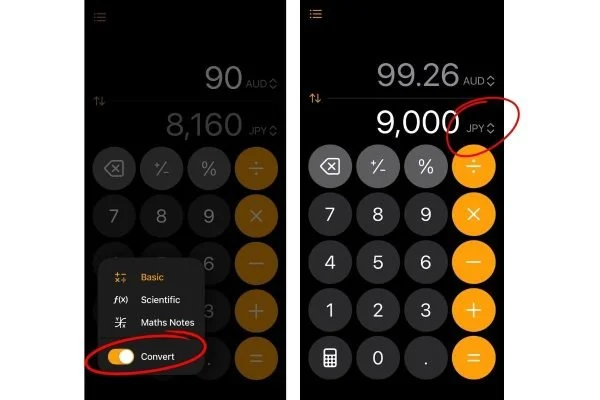
You can choose from any currency around the world and it updates daily with conversion rates in real time! Once you are done, you can slide the “convert” tab off and it will go back to your normal calculator.
2. Photograph everyone in your families passport + Enroll in STEP
If your passports are lost or stolen, this will be incredibly important when you contact the embassy to help you repalce them. Photograph the front, back and inside photo page with barcode for every family member. Then create a new note on your phone, put the passport photo in the note and select “lock note” to secure it with Face ID or password. If there are multiple adults on the trip, be sure they all have access to them in case there is an emergency. You can even share copies with others back at home for safekeeping.
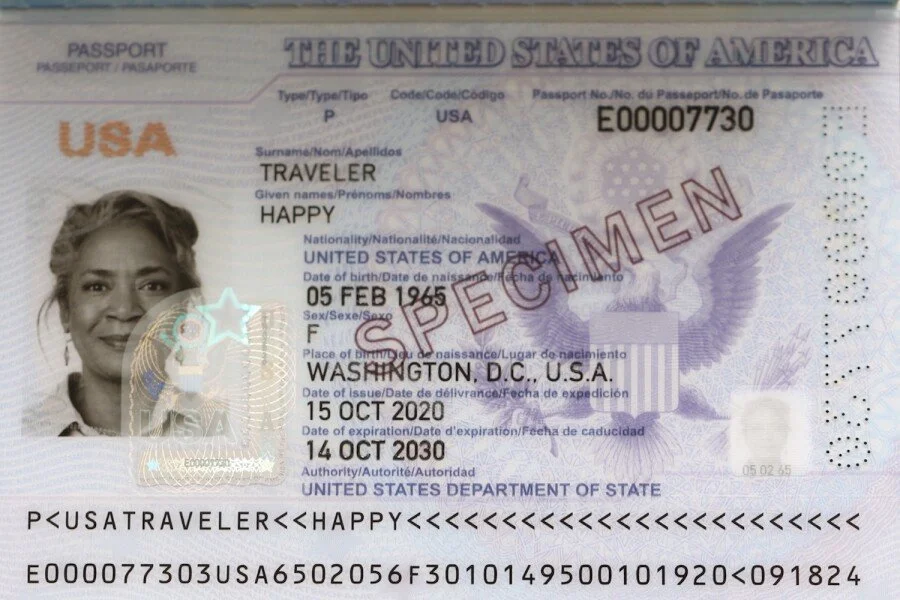
Make sure you take a photo of this page with the barcode.
2A. And if you’re a U.S. Citizen, enroll in STEP (Smart Traveler Enrollment Program).
If something goes wrong abroad, the embassy knows that you are in that country and can contact you and help. For instance, when the recent gang violence erupted in Puerto Vallarta, or travelers were stranded in Dubai amid the Iran war, the US government can easily see which travelers have registered their trip and get in touch with you to help you.
➡️Enroll in STEP.
If you are NOT a US Citizen, try searching “similar to program to STEP for citizens in____(fill in your country). Many other governments around the world have similiar programs!
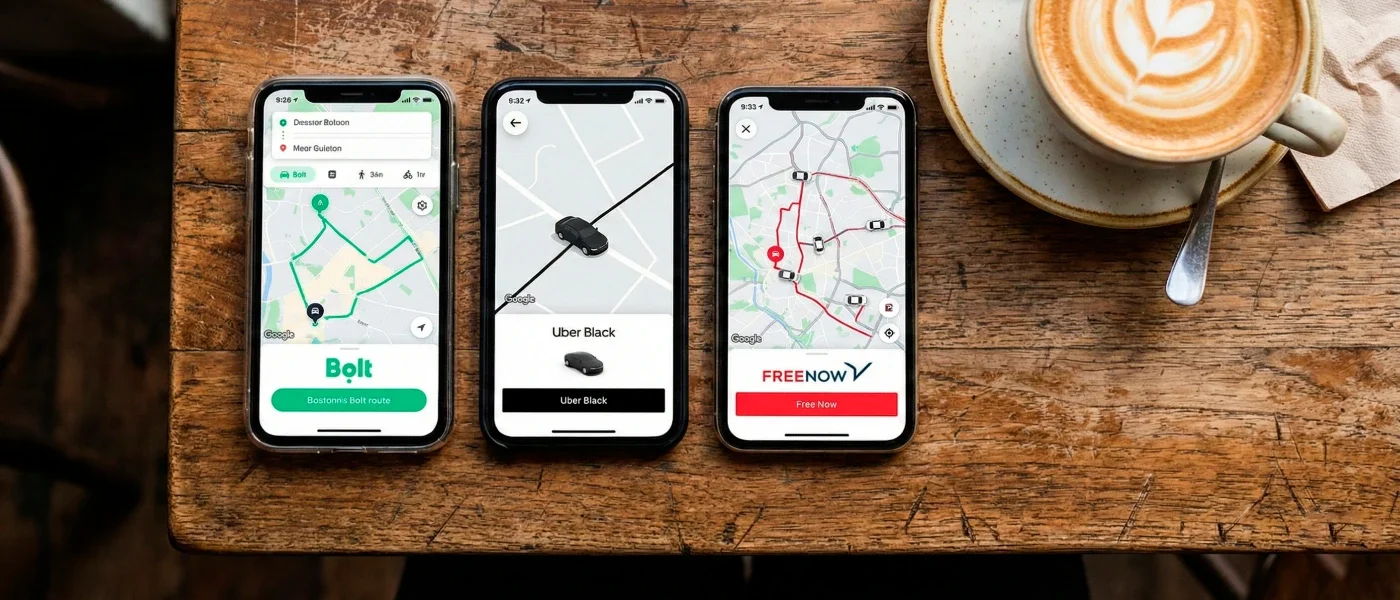
3.Download Bolt and FreeNow - most of Europe doesn’t use Uber
Bolt and FreeNow are the most available taxi and ride share apps in Europe. Set them up with your payment information before you land so you can get a ride the second you need one. I promise this will save you when you are somewhere and need a ride ASAP!
➡️ Download Bolt
➡️ Download FreeNow
4.Use ROME2RIO to quickly see updated train and bus routes
This app is super helpful in route planning when in Europe. Compared to the US which is mostly cars and flights, much of Europe travel happens on trains, buses and even boats. So when you are trip planning and trying to decide the best way to get from A to B, this is the tool to use. Just type in where you are and where you want to go and it shows you every option for trains, busses, ferries, and drives - with real schedules and prices. This has saved me so many times.
➡️ Download ROME2RIO
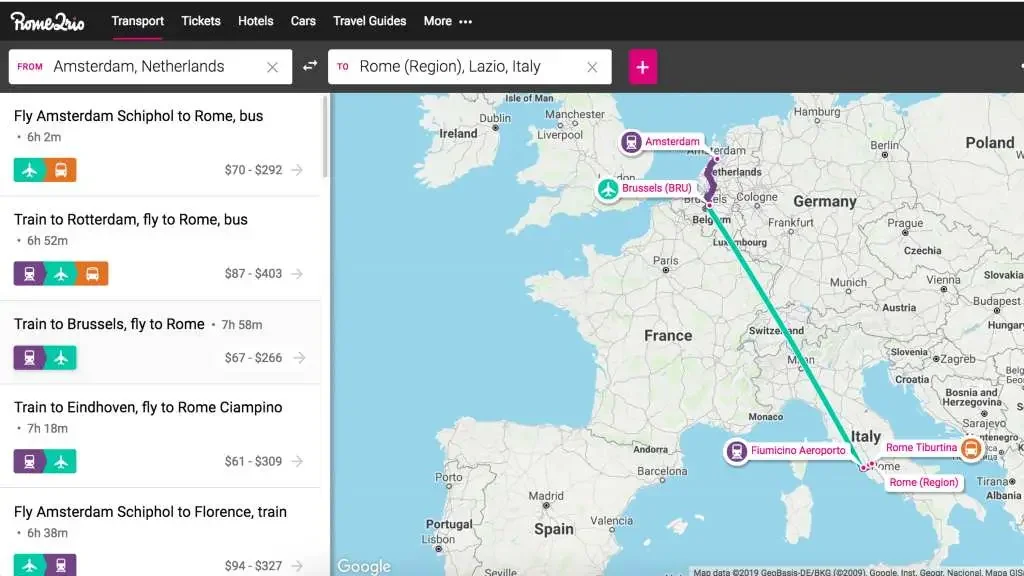
Before your trip to Europe, download and play around with Rome2Rio so you can easily see which route is best when traveling in Europe.
5.Get your international phone plan and Esim set up before you leave
When you land in a new country, your phone will not work the way it did back home. Yes, you can connect to WIFI when its available, but it will not be everywhere, and it will not be FREE everywhere - so having an Esim or international phone plan is key for getting around.
I used to just “turn on” the international plan with Verizon when I would go on shorter Europe trips, but at $12/day and limited data, it added up FAST.
A cheaper option is to get an Esim, which is so easy as you simply visit the website, sign up, and follow the instructions to get it setup on your phone, no physical hardware needed.
I have used Airalo for my Esim while abroad over 5x times now. You choose when you want to activate it, what country or countries you will be in and it gives you the price all right in the app. So once you land, the process is seamless.
➡️ Download the ESIM from Airalo here(affiliate link)
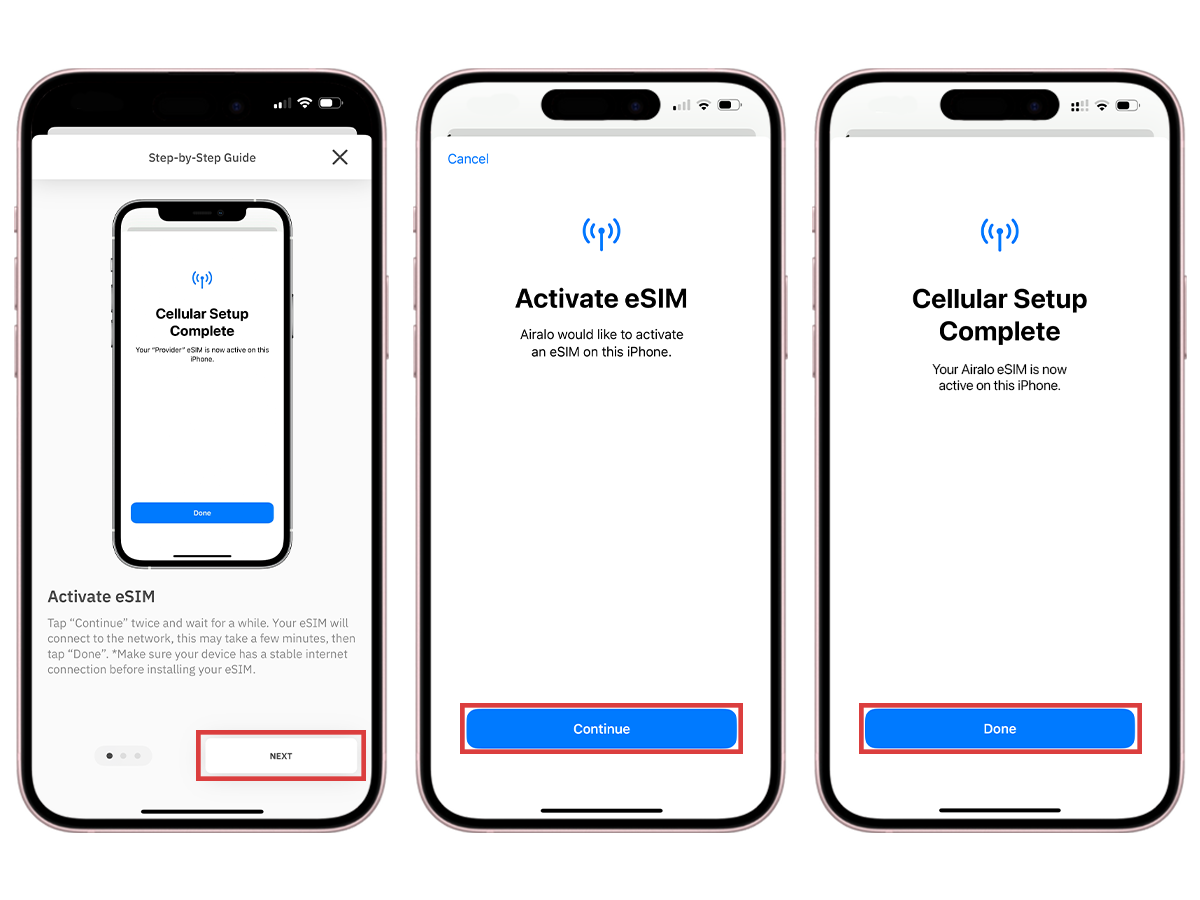
You want to make sure your phone will work when you land in a new country. Getting an eSim is a simple way to make sure it will and it barely costs anything!
6.Download Google Translate and the offline language pack
I love and use this app constantly when traveling abroad. There are SO many features that make travel easier. And its FREE.
Such as:
1. You can simply hit the microphone icon in the app and start talking into it in your native langauge, and then in real time it will translate it into the language of your choice. You can then either show the app to the other person, or hit the “speaker” icon and it will speak the translation out-loud to them!
2. You can also do the opposite - have the peson speak into the phone in their native language, then it iwll translate it to English for you in real time!
The camera feature is also pure magic! You just point your iPhone camera at any menu, sign or train schedule and it translates it instantly.
Download the language pack BEFORE you leave so it works without wifi.
➡️ Download Google translate
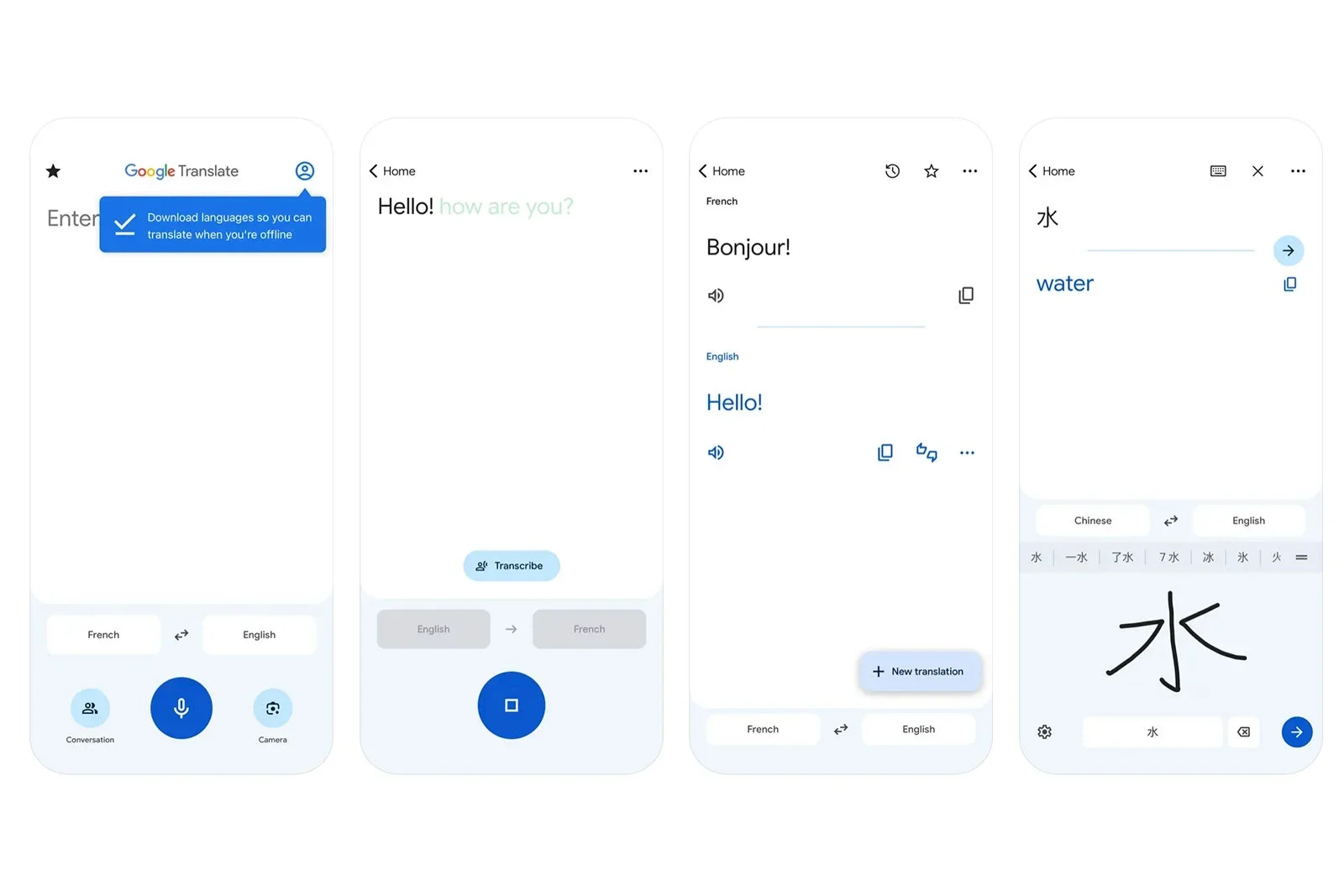
Google Translate is one of my MOST used apps when traveling internationally.
7.Find a reliable babysitting service before you go or use the Babysits app
When we lived in London last year, I found a local babysitting/nanny agency that would vet sitters and you could have them come to your hotel or rental for a babysitting service. If you are staying at a family focused hotel, they often will have babysitting services as well. But if not, I have hear the Babysits app is great. This app connects you with vetted local sitters. Before you leave, set up a profile, browse sitters, and reach out to confirm before you leave so you are not scrambling.
➡️ Download the Babysits app
** I have not used this specific service yet but I am planning to on our upcoming trip to Italy!
8.Download Mobile Passport Control (MPC)
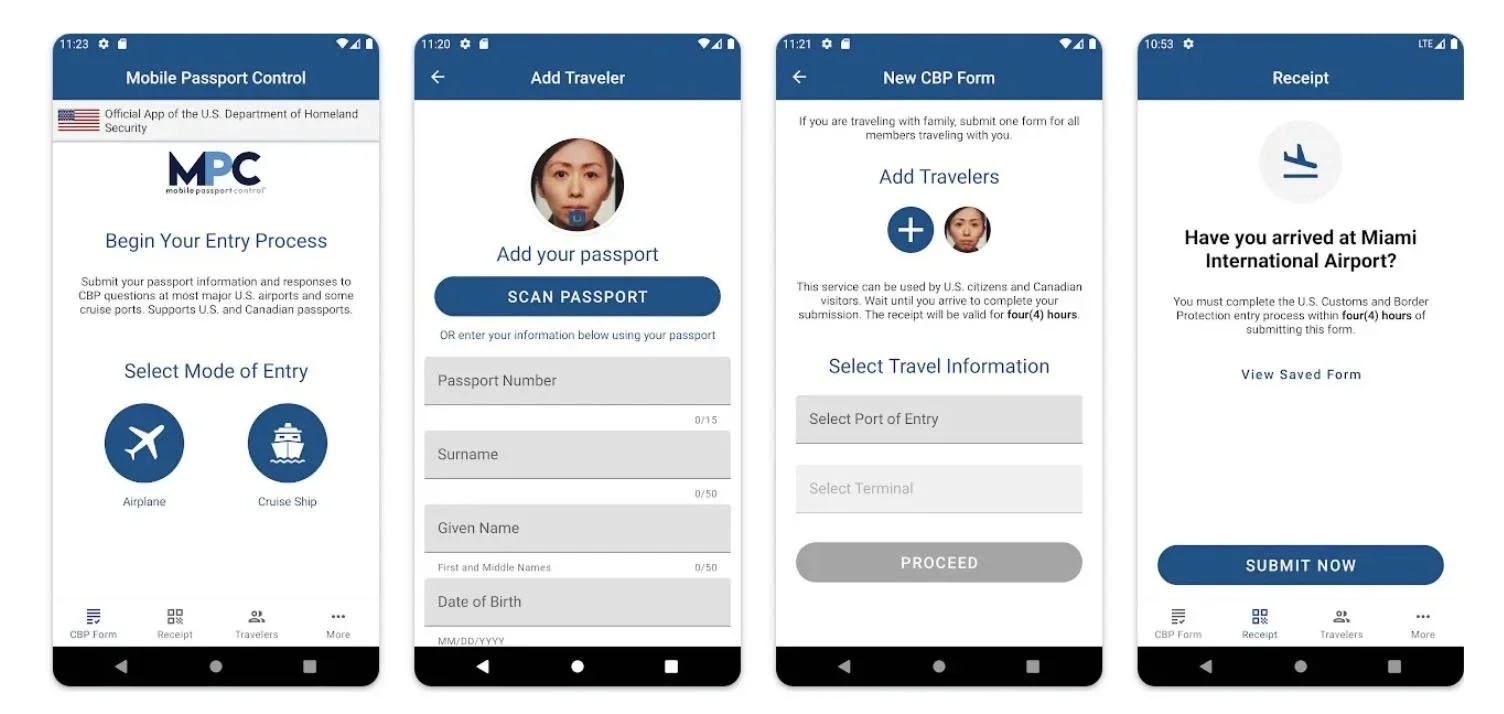
If you don’t know what MPC is, it an app that lets you submit travel documents, photos, and customs info ahead of time, speeding up entry into the U.S.
Unlike Global Entry, which is a PAID verficiation adn requires pre-approval and an in-person meeting, no pre-approval is needed and the service is FREE for US citizens.
Users skip paper forms and may access a designated line, leading to MUCH shorter wait times in most cases. Any U.S Citizen who has a passport who is traveling into the U.S can download and use MPC. If you are a family, only one person in the family needs to download it and can add family members into your account. Every single child on your reservation needs to have a profile as well (even a brand new baby!).
After downloading the Mobile Passport Control app from the Apple App Store or Google Play, you’ll create a profile with your passport information.
When you land in the United States, you’ll select which airport you are at, take a selfie using the app, and then answer a few short questions. Once completed you’ll receive a QR code in the app.
Signs will direct you to the dedicated MPC line (much shorter than the regular U.S citizen line). You’ll then bring your physical passport and phone with the QR-coded receipt to the checkpoint for inspection
I once almost missed a flight connection once coming back into the country because I didn't have Global Entry or MPC and the lines were so long. Now I have both, but for people who want the free option - this is the BEST.
➡️ Download MPC
9. WhatsApp - Download it BEFORE you leave.
This app will be your savior when overseas! This is not just for messaging other people you meet, you will need this to for Calling hotels, messaging tour guides, getting in touch with restaurants or drivers… EVERYONE in Europe uses WhatsApp.
If you try to text or call a European number form iMessage, half the time it won’t go through and the other half you will pay crazy fees. Do yourself the favor and download this ahead of time.
➡️ Download WhatsApp
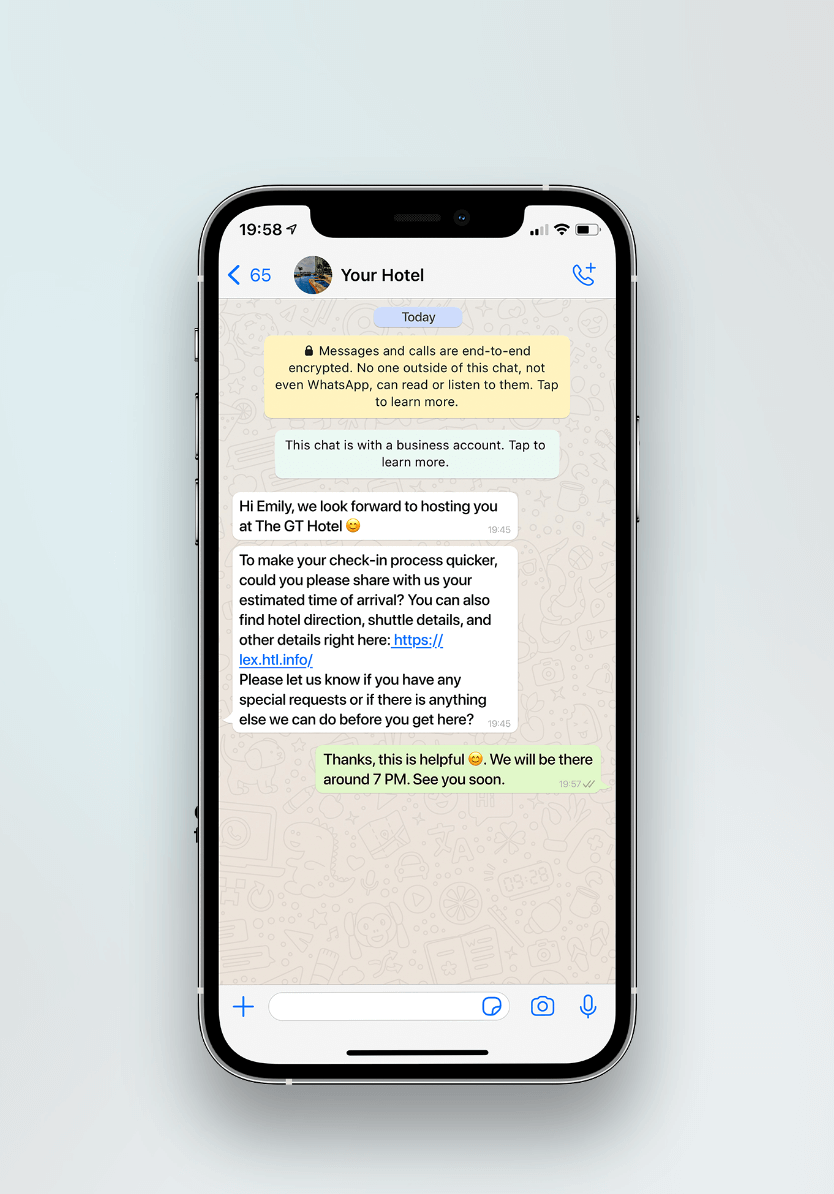
We find that most tour guides and operators, hotels, rentals and anything else we book in Europe will message us via WhatsApp. It makes it so easy to manage everything - and its free to use.
10.Create a custom Google Map with saved places
One of the things I do before each and every trip is make my own, customized Google map for the destination I’m visiting.
I am a huge proponent of this technique and think it makes traveling and planning so much easier.
I pin restaurants, playgrounds, parks for the kids to burn energy "if we have time” spots, and takeout places near our hotel.
Each category gets a different icon and when looking at the map you can see all the different pins. One huge advantage of this is if you are between activities or tours you can pull up your map and see what you are close to and have enough time to do. Also, when a kids melts down and you need the nearest playground in minutes, this map will be everything!
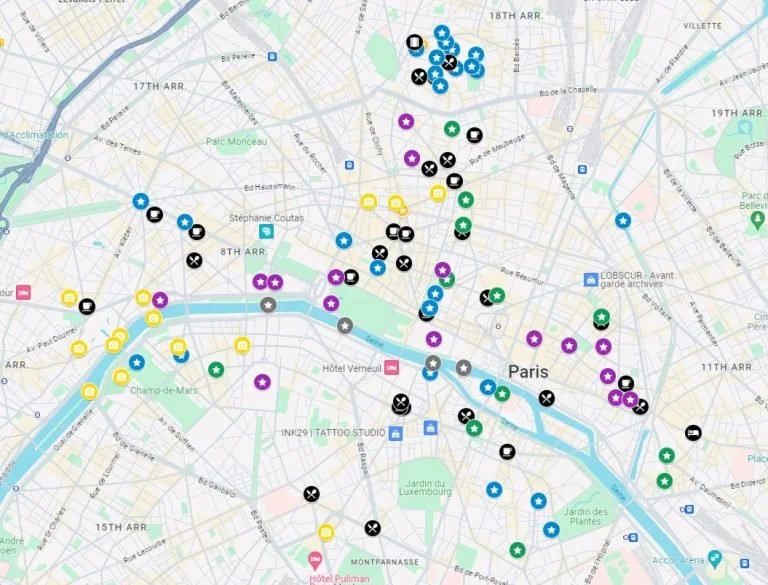
Create a Custom Google Map for your trip BEFORE you leave. Then when you arrive, you can easily pull it up and see things like - the closest restaurant nearby, a playground to burn energy - etc etc. SO helfpul!
11.Buy Travel Insurance
In most cases, the insurance you have in the United States will not cover you abroad.
When we were in London for 4 months, my youngest son, who was 3 at the time, got bit by a tick in Regent’s park and ended up coming down with Bell’s Palsy (a condition where your entire face freezes on one side - he is perfectly fine now thank goodness!). It was SO scary to be in a foreign country, be at a hospital all day and deal with a medical emergency, but it would be even scarier if we didn’t have any insurance on top of it.
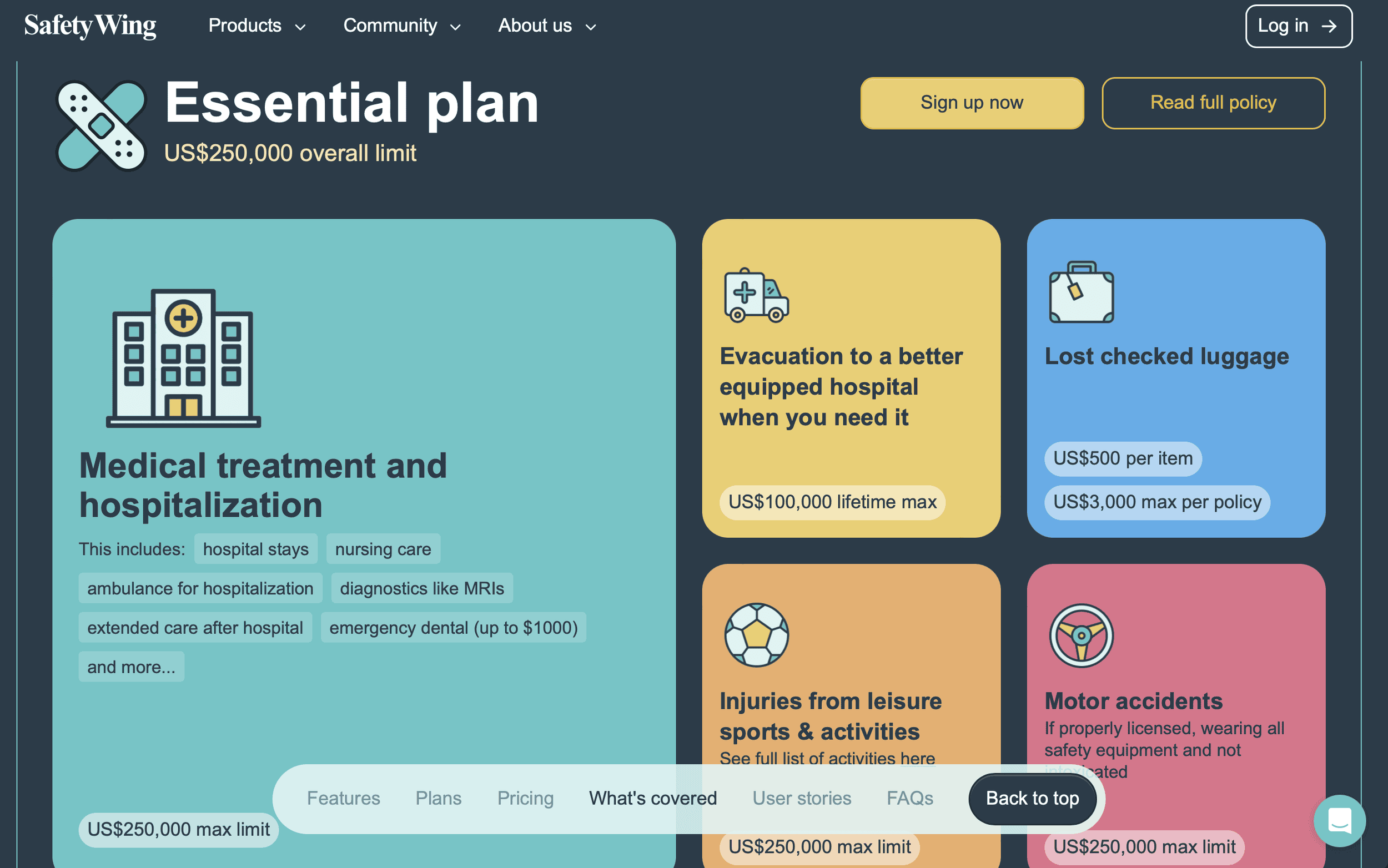
We use Safety Wing for our travel insurance. I like that it covers healthcare items like medical treatment and hospitalization, evacuation to a better hospital if you need it, and injury from activities while on vacation; AS WELL AS non-medical items like lost checked baggage and motor accidents where the car is damaged.
How much does SafetyWing Cost: It depends on many factors, but to give you an idea, for my sister in her mid-30s, it was just over $60/month for 3 months insurance while traveling from the US to Italy for 3 months. While it was $240/month for the same trip (3 months in Italy) for me and my 3 children.
➡️ Buy travel insurance through Safety Wing
12.Use this Claude or ChatGPT prompt before you leave
I really like to prep my kids before we leave for a trip as much as possible. I feel like the more we talk about the trip and what to expect, the less anxious and more confident they feel. One easy way to do that is teach them a few key phrases in the language of the place we will be visiting. Now with AI, it is even easier. I like to use this prompt with Claude:
“My kids are [ages] and we’re going to [city]. Give me 10 essential phrases they should learn in [language] - make them fun and practical like for ordering a gelato or asking where the bathroom is.”
We will then practice these at dinner weeks before and by the time we leave, my kids feel way more confident and the locals LOVE it!
If you want more specific ways I prep MY KIDS before a trip, see this post!